Why School Tablets Block Apps — and What to Do at Home Instead
• KidTalk Team
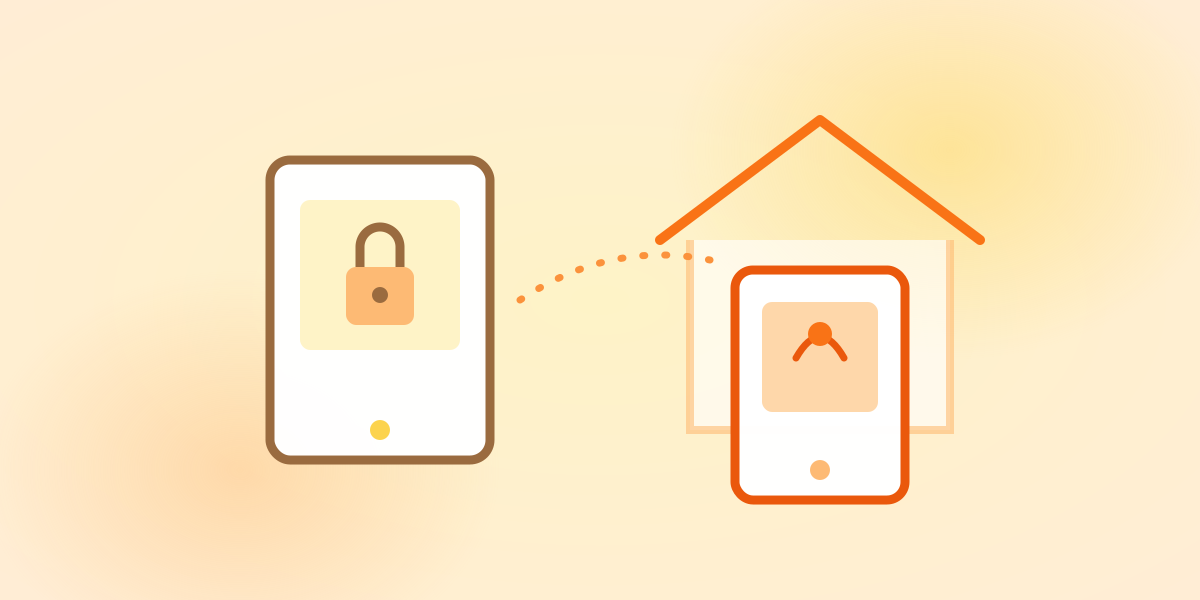
Short answer: When the school-issued tablet won’t install apps, won’t allow the microphone, or won’t let the school account register for a new service, nothing is broken — those are deliberate restrictions set by the district’s device administrators, and they are not something to work around. The practical answer is a division of labor: the school device is stationery (runs on school rules), the home device is furniture (runs on house rules). Whatever the school device can’t do is simply the home device’s job.
School tablets have an administrator
A school tablet is on loan to your child. Behind the scenes it’s enrolled in MDM (mobile device management), centrally run by the district, which typically means:
- No installing apps (only the approved list)
- Web filtering (category-based blocking, tuned aggressively toward safety)
- Microphone and camera permissions locked down outside sanctioned classroom uses
- The school account (@district.edu and the like) blocked from signing up for outside services
So the answer to “why won’t it work?” is almost always “because it’s managed” — not negligence, just the standard way to run hundreds of devices safely.
Why “I’ll sign up with my school account” fails
We have a live example. In KidTalk’s own registration logs there’s an account created from a city school-district domain that never completed a single conversation — registration worked, and then somewhere between the microphone permission and the content filter, the road ended. Two lessons from that:
- A school account is school property. It can vanish at graduation or grade change, and using it for outside services means losing those accounts someday without warning. When a child finds a service they want to try, the right path is a home device and a parent’s email (KidTalk is parent-registered by design)
- Voice services and school devices fundamentally don’t mix. Mic permissions are the first thing device management locks, so a voice-first app structurally can’t run there. That’s not fixable on the app’s side — it’s true of every voice service
Stationery vs. furniture: the split that prevents arguments
Extending the framing from our tablet-age guide:
| School device (stationery) | Home device (furniture) | |
|---|---|---|
| Who sets the rules | School / district | The family |
| What goes on it | Approved list only | Family’s judgment |
| Screen time | Counts like homework — i.e., it doesn’t | Counted under house rules |
| When something breaks | Report to school | Family handles it |
Saying this out loud once, in advance, defuses the whole “but the school one is allowed!” genre of argument. The rules differ because the owners differ — children accept that logic surprisingly well.
Three practical moves for home
- Don’t try to defeat the school device’s restrictions. A discovered workaround becomes a trust problem with the school. Take “can’t” at face value and assign the job to the home device
- Teach the two-keys distinction. “The school account is a key you borrow from your teacher; the home account is our key.” Worth one line in your family’s device rules
- Let interests that start at school continue at home. The dinosaur unit that sparked a stream of questions — the continuation is the home device’s best use case
Frequently asked questions
The school filter is so strict my child can’t do research. Extremely common — the blocklists are tuned safety-first and catch legitimate sites constantly. Schools can sometimes whitelist on request, but finishing the research on a home device is usually faster.
Should I lock down the home device to school levels? Different goals. The school is preventing accidents across hundreds of devices; a home is matching supervision to one specific child’s stage. The home device’s advantage is precisely that it can loosen gradually as your child earns it.
Does KidTalk work on a school tablet? Honestly: almost certainly not. On a device with managed mic permissions it won’t run, and that isn’t something we can fix from our side. KidTalk is built for a home device, used where a parent can see and hear it. Teachers or districts interested in classroom use can reach us here.
In summary
Follow-up: Your child brought the school tablet home. Now what? — house rules for where, when and what, plus uses beyond homework.
- “Can’t” on a school device is a feature, not a bug — there’s an administrator, on purpose
- Never register for outside services with a school account — don’t build a house on a borrowed key
- The split is stationery vs. furniture; different owners, different rules
- The continuation of a school-sparked interest is the home device’s best job
When a child starts chafing at the school device’s limits, that’s usually a sign their curiosity has outgrown the classroom container. Give the overflow somewhere to land at home, and the two devices never need to fight.
Ready to try KidTalk?
Turn your child's curiosity into stories with safe, friendly AI.
Get started for freeRelated Articles
November 16, 2026
Addition and Subtraction: What Age? Within 10 at 5–6, Carrying in First Grade, and Why Counting on Fingers Is Fine
November 16, 2026
Kanji: what age? 80 in grade 1, reading before writing, and stroke order you trace rather than memorise
November 15, 2026