The Right Answer
for Every "Why?"
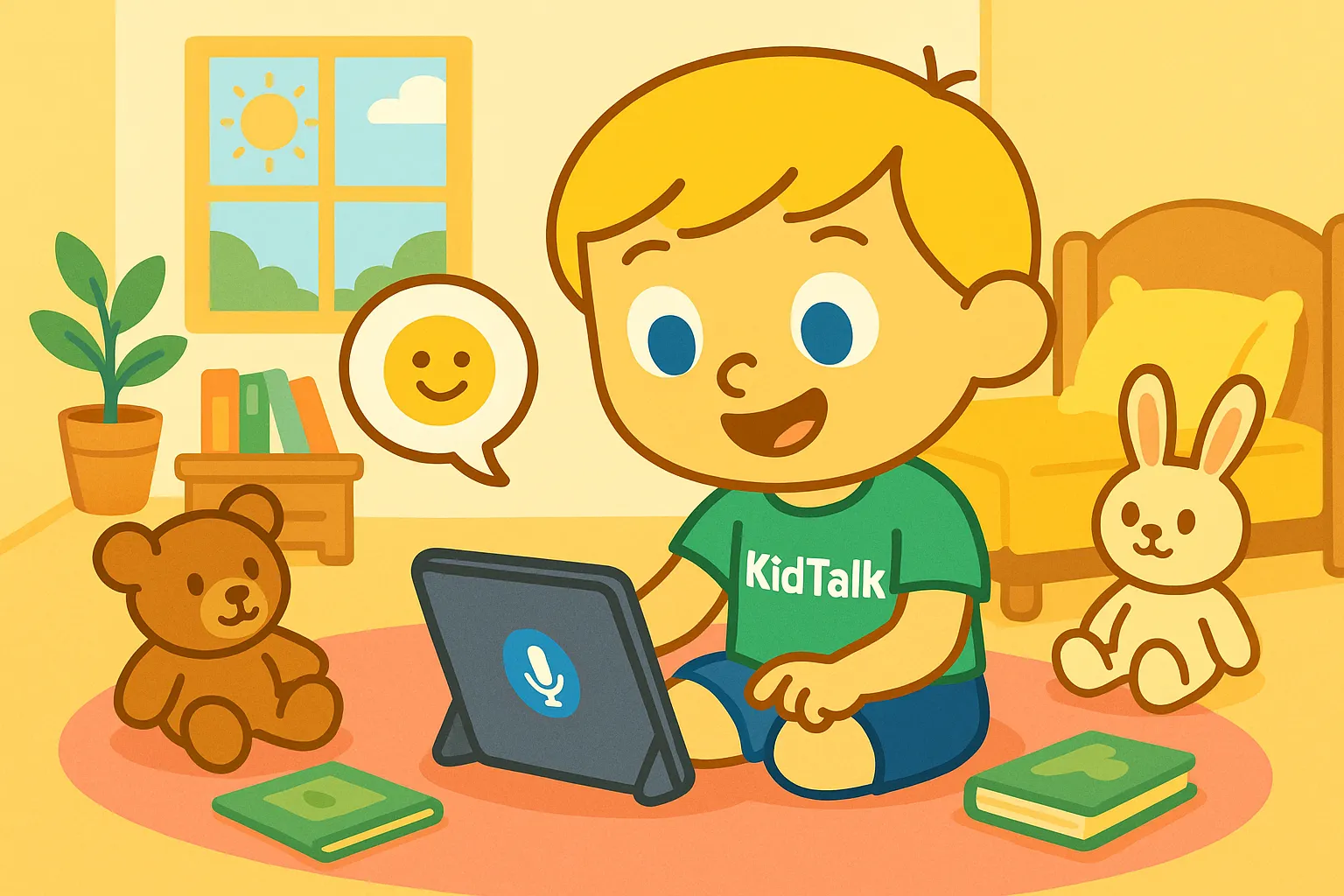
KidTalk is an educational voice-chat app where a safe AI answers your child's questions out loud — with four-year-old words for a four-year-old, and real terms for a ten-year-old. Sometimes with a one-of-a-kind story. Just tap the mic and talk.
Try for FreeZero ads · Voice is never stored
How the Adventure Begins
In just 3 easy steps, enrich your family's conversations.
1. Speak Freely
A question, a chat, or "tell me a story!" — anything goes.

2. AI Answers Just Right
Age-tuned explanations for questions, one-of-a-kind stories on request.

3. Enjoy Together
New discoveries and conversations enrich your family time.
Same Question, an Answer Made for Your Child
Set your child's age (2 to 12+) and the AI automatically tunes its vocabulary and depth — and greets them by name, so every answer feels like their own.
"Why is the sky blue?"
"Why is the sky blue?"
Example responses — actual answers vary with the conversation.
English or Japanese —
Switching Is Just Speaking.
KidTalk detects the language of every single utterance. If your child switches from English to Japanese mid-chat — or back — the AI simply follows. No settings, no buttons.
A partner that never corrects mistakes and never runs out of patience makes a natural place to practice speaking a second language out loud — and that's exactly how many of our families use it.
See how families use it for language practice →What Kids Actually Ask
Real curiosity, arriving at KidTalk every day (details altered so no child is identifiable).
Simple Enough to Use From Day One
No features to learn. Just one big microphone button — press it, and your child's conversation begins.

One Big Microphone Button
No menus to navigate, no text to read. Tap and talk — that's the entire interface.
A Friendly Mascot Listens With Them
The character reacts to your child's state — idle, listening, thinking, speaking — so they always know what's happening.
Pure Voice Conversation
Record up to 10 seconds → AI responds → tap to replay. No reading required, so kids can use it before they can read.
Daily Count Always Visible
The remaining talks for today appear right under the mic, creating natural stopping points and supporting healthy screen time.
Designed for Families
Siblings Welcome
Add every child to one account, each with their own name and age — and the AI's way of talking switches to match. One plan covers the whole family.
Zero Ads
No advertising, ever — and your child's data is never used for ads. We run on simple subscriptions, which means we have no reason to maximize your child's screen time.
No Real Names Needed
A nickname and an age — that's everything we ask about your child. No legal names, no birthdates, no photos. Collecting the minimum is our design policy.
Who is KidTalk for?
KidTalk is an app for curious children and for parents who want to support their growth.

For Every Curious Child
From early learners just starting with letters to elementary school students, KidTalk sparks intellectual curiosity across a wide range of ages.
For Parents Seeking Quality Screen Time
We offer an interactive and creative alternative to just watching videos.
For Families Wanting More Conversation
Conversations with the AI can spark new discoveries and family discussions.
Why Choose KidTalk?
Designed with your child's growth and safety as our top priority.

Safety Above All.
Our expert-supervised AI completely blocks inappropriate content. Integrated with industry-standard safety filters, it provides multi-layered protection by filtering harmful words and inappropriate topics. You can let your child use it with peace of mind.

Spark Imagination.
One "tell me a story!" and the AI spins a one-of-a-kind tale starring your child's current obsession — from scientific facts to epic fantasies. Beyond answers lies free-range imagination.
Play Becomes Learning.
Science, history, fantasy worlds. Your child's interests become a gateway to fun and natural learning. Through conversation, they'll also naturally build vocabulary and communication skills.
Frequently Asked Questions
Is it really safe for my child to use alone? ▼
Yes, it is. KidTalk is equipped with multi-layered safety filters to block inappropriate words and dangerous topics. We prioritize a safe environment that parents can trust.
Can my child use it to practice a second language? ▼
Yes. KidTalk detects the language of each utterance, so a child chatting in English can switch to Japanese mid-conversation — or the other way around — and the AI simply follows. With a partner that never corrects mistakes and never runs out of patience, it's a natural place to practice speaking out loud. See how families use it.
Are there any ads? ▼
None. KidTalk shows no advertising, and your child's data is never used for ads. The service is funded by simple subscriptions (with a free plan) — nothing else.
What languages are supported? ▼
Currently, we support Japanese and English, and your child can switch between them mid-conversation. We plan to gradually expand the number of supported languages.
What's the difference between the Free and Paid plans? ▼
The Free Plan gives you access to KidTalk's core conversation features, but with a daily limit on conversations. Paid plans allow for more conversations each day, and the Premium plan also unlocks chat history so parents can review what their child has been talking about. For details, please see our Pricing Plans page.
What ages is KidTalk designed for? ▼
KidTalk is designed for children aged 2 to 12 and above. Since it's entirely voice-based, even young children who can't read yet can use it independently. The AI automatically adjusts its vocabulary and depth of explanation to the age you set for your child.
What happens to my child's voice data? ▼
Your child's voice data is used only to generate the AI's response and is deleted immediately after processing. We never store or accumulate voice recordings. All data is transmitted over encrypted connections and is never shared with third parties. For more details, see our Privacy Policy.
Does it work on phones and tablets? ▼
Yes. KidTalk is a web app, so it works on any device with a browser — smartphones, tablets, and computers. No app installation required.
How is KidTalk different from ChatGPT? ▼
General-purpose AI tools like ChatGPT and Claude are built for adults and lack child-specific safety measures or age-appropriate conversation tuning. KidTalk is purpose-built for children, with safety filters, a voice-first interface, age-adaptive responses, and built-in conversation limits to keep interactions healthy.
Can I cancel my subscription anytime? ▼
Yes, you can cancel anytime from the Parent Zone in the app. After cancelling, you'll continue to have access to your plan's features until the end of your current billing period.